WhisperJAV不多介绍,通过AI给视频配字幕的工具,可以接入各种AI,是新鲜字幕自动生成,针对性优化,效果很好
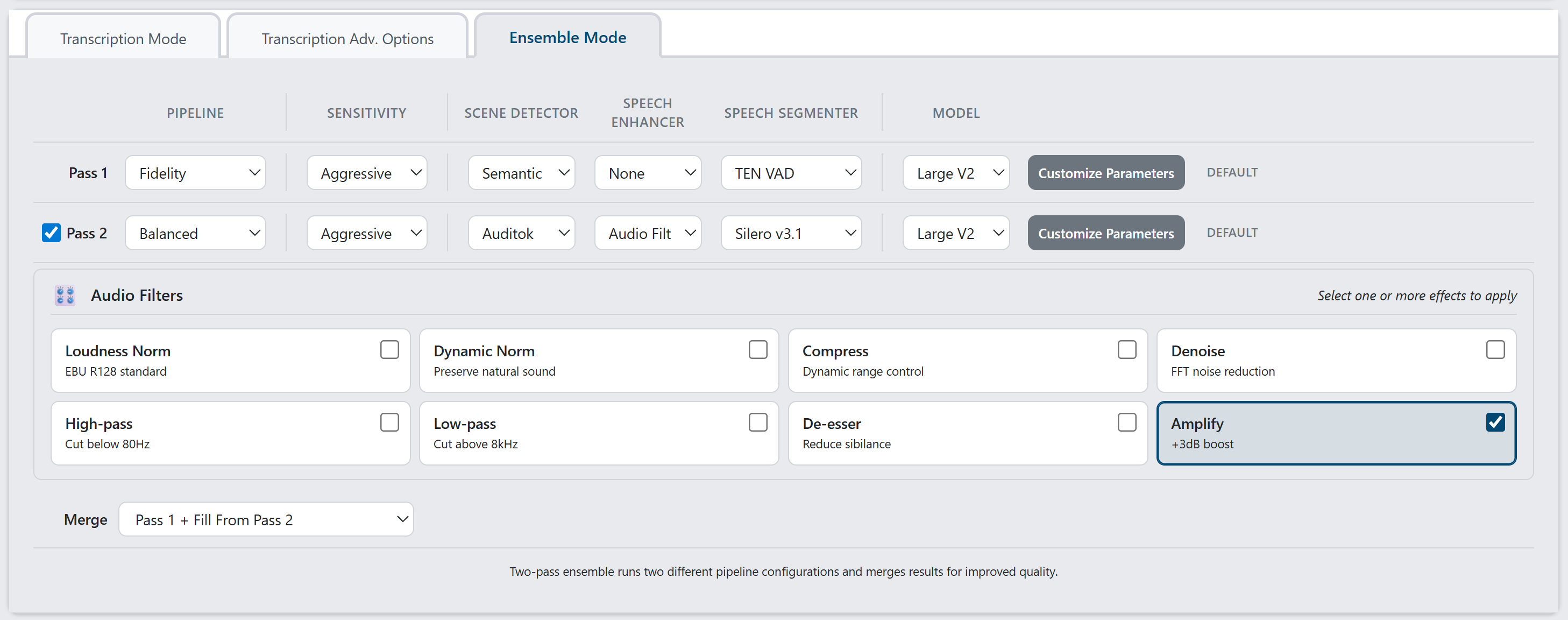
项目截图
项目安装
Windows Installer(最简单)
下载并运行:WhisperJAV-1.7.4-Windows-x86_64.exe
这会安装所有必需的软件,包括 Python 及其依赖项。
从以前的安装程序版本升级
如果您是通过 Windows 安装程序安装的 v1.5.x 或 v1.6.x 版本:
- 下载upgrade_whisperjav.bat
- 双击运行
- 等待1-2分钟
这样就可以在不重新下载 PyTorch(约 2.5GB)或 AI 模型(约 3GB)的情况下更新 WhisperJAV。
从源代码安装
需要 Python 3.9-3.12、FFmpeg 和 Git。
推荐:使用安装脚本(自动处理依赖冲突,自动检测 GPU):视窗
git clone https://github.com/meizhong986/whisperjav.git
cd whisperjav
installer\install_windows.bat              # Auto-detects GPU and CUDA version
installer\install_windows.bat --cpu-only   # Force CPU only
installer\install_windows.bat --cuda118    # Force CUDA 11.8
installer\install_windows.bat --cuda124    # Force CUDA 12.4
installer\install_windows.bat --minimal    # Minimal install (no speech enhancement)
installer\install_windows.bat --dev        # Development/editable install
脚本会自动执行以下操作:
- 检测您的 NVIDIA GPU 并选择最佳 CUDA 版本
- 如果未找到 GPU,则回退到仅使用 CPU。
- 检查 WebView2 运行时(GUI 需要)
- 安装日志
install_log_windows.txt - 下载失败后最多重试 3 次
Linux / macOS
# Install system dependencies first (Linux only)
# Debian/Ubuntu:
sudo apt-get install -y python3-dev build-essential ffmpeg libsndfile1

# Fedora/RHEL:
sudo dnf install python3-devel gcc ffmpeg libsndfile

git clone https://github.com/meizhong986/whisperjav.git
cd whisperjav
chmod +x installer/install_linux.sh
./installer/install_linux.sh               # Auto-detects GPU
./installer/install_linux.sh --cpu-only    # Force CPU only
./installer/install_linux.sh --minimal     # Minimal install
跨平台 Python 脚本
git clone https://github.com/meizhong986/whisperjav.git
cd whisperjav
python install.py              # Auto-detects GPU, defaults to CUDA 12.1
python install.py --cpu-only   # CPU only
python install.py --cuda118    # CUDA 11.8
python install.py --cuda121    # CUDA 12.1
python install.py --cuda124    # CUDA 12.4
python install.py --minimal    # Minimal install (no speech enhancement)
python install.py --dev        # Development/editable install
另一种方法:手动使用 pip 安装(可能会遇到依赖冲突):
# Install PyTorch with GPU support first (NVIDIA example)
pip install torch torchaudio --index-url https://download.pytorch.org/whl/cu124

# Then install WhisperJAV
pip install git+https://github.com/meizhong986/whisperjav.git@main
平台说明:
- Apple Silicon(M1/M2/M3/M4):仅
pip install torch torchaudio支持 MPS 加速,自动运行。 - AMD GPU (ROCm):实验性功能。使用此功能
--mode balanced可获得最佳兼容性。 - 仅使用 CPU:可运行但速度较慢。用于
--accept-cpu-mode跳过 GPU 警告。 - Linux 服务器(无 GPU):安装脚本会自动检测并切换到仅使用 CPU 的模式。
- Linux(Debian/Ubuntu):请先安装系统依赖项:
sudo apt-get install -y python3-dev build-essential ffmpeg libsndfile1
先决条件
- Python 3.9-3.12(3.13+ 与 openai-whisper 不兼容)
- 将 FFmpeg添加到系统路径中
- 推荐显卡:NVIDIA CUDA、Apple MPS 或 AMD ROCm
- 安装需要8GB 以上的磁盘空间
免责声明
此工具可生成辅助功能字幕。用户有责任遵守与其处理的内容相关的适用法律。